Email: sales1@yzconn.com Tel: +86-21-64128668
- All
- Product Name
- Product Keyword
- Product Model
- Product Summary
- Product Description
- Multi Field Search

Views: 0 Author: Site Editor Publish Time: 2026-01-19 Origin: Site


You stand in front of a pile of cables, holding an RJ45 Connector, and wonder which RJ45 Connector will actually work for your ethernet setup. Choosing the right RJ45 Connector can make your network run faster and more reliably. The wrong match can slow things down or cause annoying drops. You want an RJ45 Connector that installs easily and lasts. Yz-Link Technology Co., Ltd. delivers trusted quality when you want your RJ45 Connector connections to work the first time.
Pick the right RJ45 connector for your network speed. If you want fast internet, use connectors for Cat6 or Cat6a cables.
Think about where you will use the connector. Use shielded RJ45 connectors if there is a lot of electronic noise. Use unshielded ones at home.
Make sure your RJ45 connector matches your cable type. Always check the cable’s category and size so you do not have problems.
Choose strong connectors with gold plating. Gold plating helps them work better and last longer, even if it is wet or dusty.
Use a simple checklist before you start. Check your cable type, speed needs, and test the connections for a good network setup.
You want your network to run fast and smooth. Start by thinking about the speed you need. If you stream videos, play games, or work with large files, you need a connector that can handle high speeds. The rj45 connector supports different transmission rates. Some rj45 connectors work with 10/100Mbps, while others support 1Gbps or even 10Gbps. If you use ethernet for business or heavy data communication, choose a connector that matches your speed needs. For most homes, a rj45 connector for gigabit ethernet works well. If you plan to upgrade, look for connectors that support cat6 or cat6a cables. These cables help you reach higher speeds and keep your network future-proof.
Your environment matters when picking a rj45 connector. Do you set up your ethernet in a busy office, a factory, or at home? Some places have lots of electronic devices. These can cause interference. Shielded rj45 connectors help block unwanted signals. If you install cables outdoors or in damp areas, you need connectors that resist water and dust. Always check if your rj45 connector fits the space and conditions. A good choice keeps your network stable and safe.
You need to match your rj45 connector to your cable type. Not all connectors fit every cable. Check the diameter and wire gauge of your ethernet cable. Some rj45 connectors work best with solid cables, while others suit stranded cables. If you use cat6 or cat6a cables, make sure your connector supports them. This step helps you avoid problems during installation. A compatible rj45 connector makes your network setup easy and reliable.
Tip: Always double-check your cable and connector specs before you start your network project. This saves you time and trouble later.
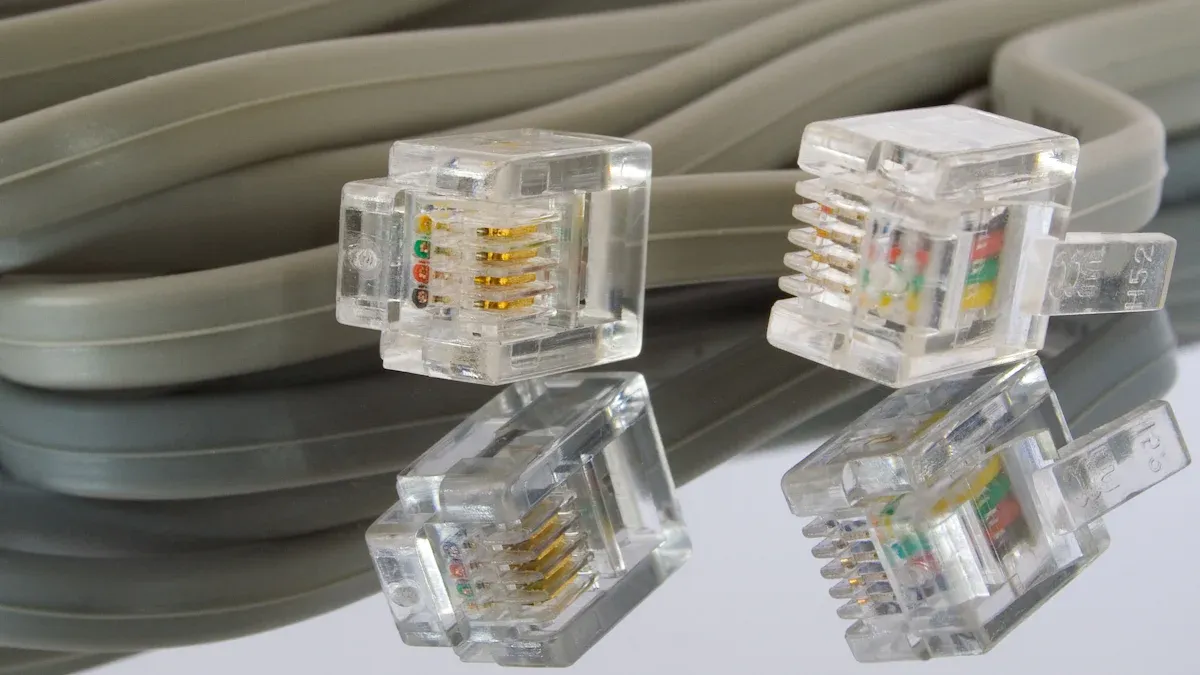
When you look at all the types of rj45 connectors, it can feel confusing. You want to pick the right one for your ethernet setup. Yz-Link Technology Co., Ltd. gives you many choices, so you can find what fits your network best. Let’s break down the main rj45 types you’ll see.
You might wonder if you need shielded or unshielded rj45. Shielded connectors have a metal cover. This helps block outside signals. If you set up ethernet in a place with lots of machines or wires, shielded rj45 keeps your data communication safe from interference. Unshielded connectors work well in homes or offices where there is less interference. They are easy to use and cost less.
Tip: Use shielded rj45 for factories or busy offices. Use unshielded for most home networks.
You have two main choices here. Pass-through rj45 lets the wires go all the way through the connector. You can see the wire order before you crimp it. This makes it easy to check your work. Standard rj45 holds the wires inside the connector. You need to measure and cut the wires to the right length. Pass-through types help you avoid mistakes, especially if you are new to ethernet work.
Some rj45 connectors need a crimp tool. These are called crimp-style. You push the wires in, then squeeze the tool to lock them. Toolless connectors snap together by hand. You do not need special tools. Toolless types save time and work well for quick fixes.
Here’s a quick table to help you compare:
Type | Best For | Needs Tools? |
|---|---|---|
Shielded | High-interference areas | Maybe |
Unshielded | Home/office | Maybe |
Pass-Through | Easy checks | Yes |
Standard | Regular installs | Yes |
Toolless | Fast fixes | No |
Crimp-Style | Secure connections | Yes |
Yz-Link offers both pin and modular connector designs. You can find rj45 for cat6, cat6a, and even higher speeds. Some support 10/100Mbps, others go up to 10Gbps. You get the right fit for your ethernet and network needs.
Remember: The right rj45 makes your network faster and more reliable.
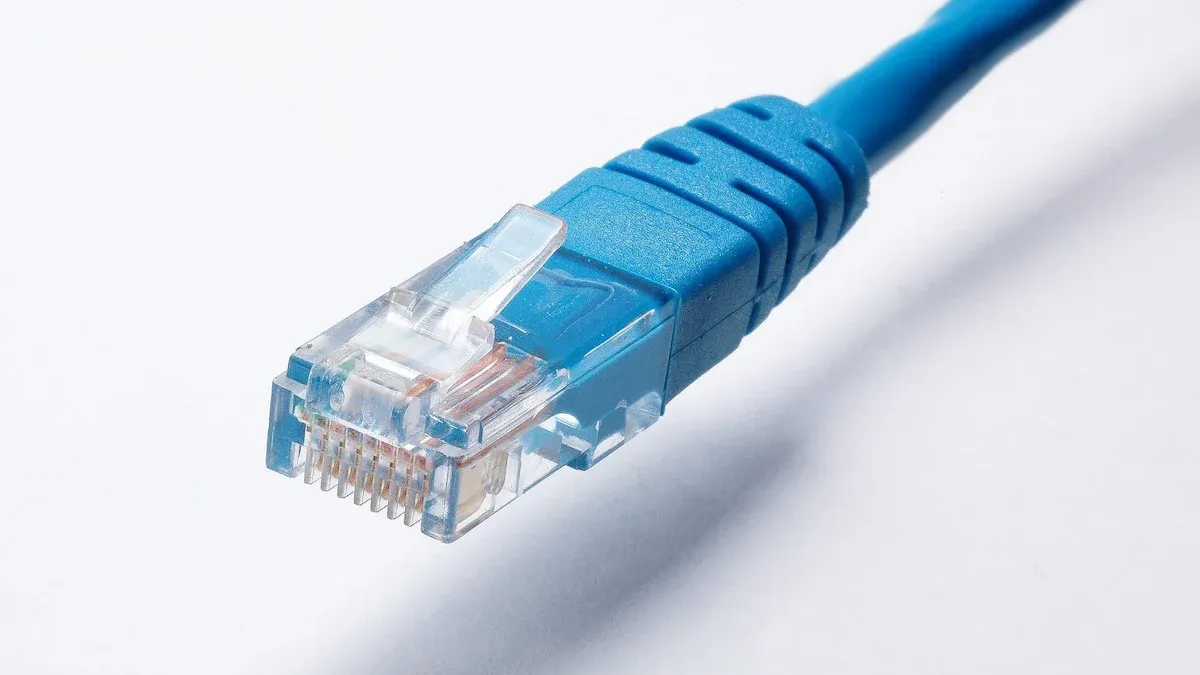
You want your network to run smoothly, so choosing the right rj45 connector matters. Let’s break down what you should look for when picking the best rj45 for your ethernet setup.
You need a connector that lasts. When you choose an rj45, check the build quality. A strong housing protects the pins inside. If you use cat6 or cat6a cables, you want a connector that can handle frequent plugging and unplugging. Some connectors have reinforced clips that don’t snap off easily. Yz-Link Technology Co., Ltd. designs rj45 connectors with tough materials. Their products go through strict tests to make sure they stand up to daily use. You get peace of mind knowing your data communication stays secure.
Tip: Always match your rj45 connector to the cable diameter and wire gauge. This helps you avoid loose connections and keeps your network stable.
You might wonder why gold matters in a connector. Gold-plated contacts resist corrosion and keep your signal strong. If you use ethernet in places with moisture or dust, gold plating helps your rj45 last longer. Yz-Link uses high-quality gold plating on their connectors. This means you get better performance and fewer problems with your network. Gold also makes sure your rj45 connector keeps a solid connection over time.
Here’s a quick table to show why gold plating is important:
Feature | Benefit |
|---|---|
Gold Plating | Prevents corrosion |
Strong Contacts | Keeps signal clear |
Quality Materials | Lasts longer |
You want to set up your network without headaches. Some rj45 connectors are easier to install than others. Toolless connectors snap together fast. Crimp-style connectors need a special tool, but they give you a secure fit. If you use cat6 cables, make sure your connector fits the wire gauge. Yz-Link offers rj45 connectors that work with different cable types. Their products come with clear instructions, so you finish your ethernet setup quickly.
Yz-Link Technology Co., Ltd. stands out because of their commitment to quality. They hold ISO9001, UL, and REACH certifications. These show you that their rj45 connectors meet high standards. You get reliable products for your network every time.
Note: Choosing the right rj45 connector means looking at durability, gold plating, and installation ease. Always check your cable specs before you buy.
If you want a connector for cat6 or cat6a cables, Yz-Link has options that fit your needs. Their rj45 connectors help you build a network that works well and lasts.
You want your network to run smoothly, but small mistakes with rj45 can cause big problems. Let’s look at some common slip-ups and how you can avoid them.
You might grab any rj45 you see, but not every connector fits every cable. If you use a cat5 cable with a cat6 rj45, your network speed drops. You lose out on the performance you expect. Always check the cable category before you pick your rj45 connector. Match cat5 cables with cat5 connectors, cat6 cables with cat6 connectors, and so on. This step keeps your ethernet running at top speed.
Tip: Look at the cable jacket. It usually shows the category. Match it with your rj45 for the best results.
You set up your network in a busy room. There are computers, printers, and maybe even machines. These devices can cause signal interference. If you use an unshielded rj45 in a high-interference area, your connection might drop or slow down. Shielded rj45 connectors block unwanted signals. They keep your data safe and your network stable. Think about where you install your cables. If you see lots of electronics, go for shielded rj45.
Environment | Best RJ45 Type |
|---|---|
Home/Office | Unshielded |
Factory/Server | Shielded |
You finish installing your ethernet cables and rj45 connectors. You feel good, but you skip testing. This mistake can lead to weak connections or even total failure. Always test each rj45 after installation. Check for loose pins, bent clips, or poor crimping. If you spot a problem early, you fix it before it affects your network. Quality checks save you time and headaches.
Note: Reliable brands like Yz-Link Technology Co., Ltd. make quality control easier. Their rj45 connectors go through strict tests, so you get dependable results.
If you avoid these mistakes, your network stays strong and your ethernet works the way you want.
You want your network setup to go smoothly. Use this quick checklist before you start working with any rj45 connector. It helps you avoid mistakes and keeps your ethernet running strong.
Check your cable type. Look at the label on your cable. Make sure it matches the rj45 connector you plan to use.
Pick the right rj45 for your speed. If you want fast internet, choose a connector that supports your cable’s speed, like Cat6 or Cat6a.
Decide if you need shielded or unshielded. Shielded rj45 works best in places with lots of electronics. Unshielded is fine for most homes.
Match the connector to your cable’s diameter and wire gauge. This step stops loose connections.
Choose pass-through or standard. Pass-through rj45 makes it easy to see your wire order. Standard works well if you have experience.
Think about tools. Toolless rj45 connectors snap together by hand. Crimp-style needs a special tool.
Look for gold plating. Gold-plated rj45 connectors last longer and keep your signal clear.
Test every connection. Plug in your network cable plug and check for a strong signal.
Tip: Always keep a few extra rj45 connectors on hand. Mistakes happen, and having spares saves time.
Step | Why It Matters |
|---|---|
Check cable type | Stops speed loss |
Pick right speed | Keeps ethernet fast |
Shielded or not | Blocks interference |
Match size | Prevents loose fit |
Choose style | Makes install easier |
Test connection | Finds problems early |
You can use this checklist every time you set up a network. It works for home, office, or anywhere you need a reliable connection. When you follow these steps, your rj45 connectors will help your network stay strong and stable.
You want your network setup to work without problems. Pick an rj45 connector that matches your cable and speed needs. Look for strong build and easy installation. Use the checklist before you start your network setup. Yz-Link Technology Co., Ltd. gives you reliable rj45 options. If you feel unsure, review your cables or ask for expert help. A good choice keeps your network running fast and smooth.
Shielded RJ45 connectors block interference from nearby electronics. You use them in busy offices or factories. Unshielded connectors work well in homes or places with less interference.
You should not reuse a crimped RJ45 connector. Once you crimp it, the pins may not connect properly again. Always use a new connector for each cable.
Check your cable’s category and diameter. Match the connector to your cable type, like Cat6 or Cat6a. This helps you avoid loose fits and keeps your ethernet connector working well.
Some connectors need a crimp tool. Toolless connectors snap together by hand. If you want a quick setup, choose toolless. For a secure fit, use crimp-style with the right tool.
Gold plating stops corrosion and keeps your signal strong. You get better performance and longer life for your network connection. Gold-plated connectors work best in places with moisture or dust.


